The short version
- A QR code in the window lets passersby see every photo and detail without calling you.
- Point the code at a listing page, not a photo or a post that might disappear.
- Make it big enough to scan from a few feet away, and add the price in large print.
- Use a code that never changes, so you can edit the price without reprinting.
On this page
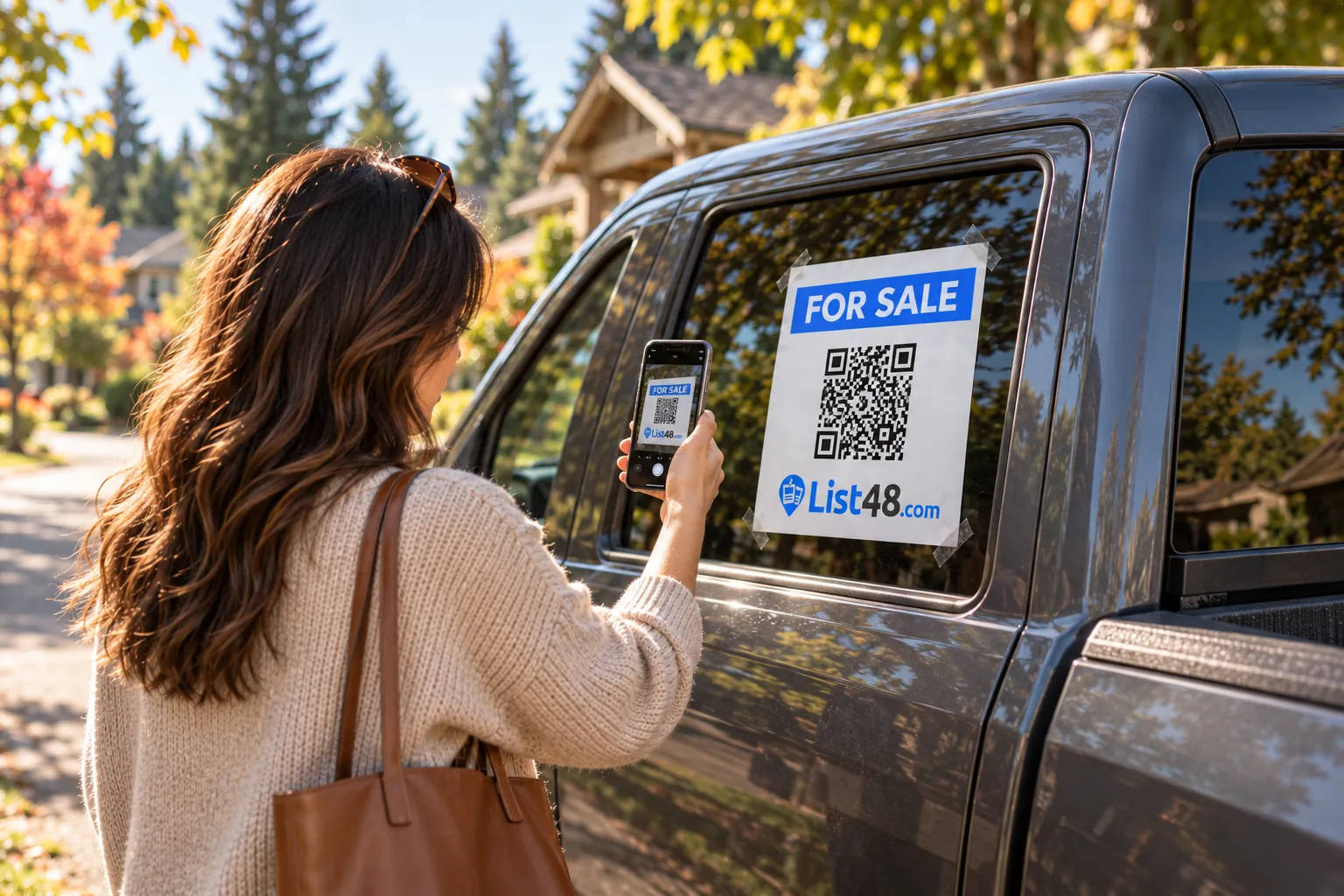
A for sale sign in a car window works around the clock. People walk past in parking lots, at work and on your street. The problem is that a paper sign has room for a price and a phone number, and most people won't call a stranger just to learn more. A QR code fixes that: one scan and they see every photo, the specs and the price, right on their phone.
What the QR code should open
This is the part most people get wrong. A QR code that opens a single photo, a social post or a listing on a site that might remove it after a few weeks leads to dead ends. Point your code at a page that:
- Shows the full photo gallery and all the details
- Has call and text buttons, so interested people can reach you in one tap
- Stays at the same address until the car sells
- Can be edited without changing the code
That's exactly what a List48 listing page is. The QR code opens your listing's short link, so it never needs to change, and every scan is counted.
Make the code in three steps
- Create your vehicle listing. Add photos, mileage, price and how to reach you, then publish it.
- Open your share page. Your QR code is ready to download as a PNG for screens or an SVG for sharp printing at any size.
- Print a window sign. The big window sign layout puts "For Sale," the price, a large QR code and your short link on one page, ready for a standard printer.
Design a sign that gets scanned
People decide in a second whether to stop. Make the most important things readable from across a parking lot.
| Element | Guideline |
|---|---|
| "For Sale" | The biggest text on the sign |
| Price | Second biggest. Signs with prices get more scans |
| QR code | 3 to 4 inches square, with a white border around it |
| Call to action | "Scan for photos and details" right next to the code |
| Short link | Printed under the code for people who'd rather type |
Placement tips
- Inside the glass, facing out. It stays dry and can't be pulled off.
- At eye level. Rear side windows are ideal. Avoid the windshield, which you need to see through and which may be restricted where you live.
- On the sidewalk side. If you park on a street, put the sign where people walk.
- Two signs are better than one. One on the side and one in the rear window cover both directions.
Go beyond paper
A printed sign is fine for a week or two. If your vehicle will be for sale longer, or you're a dealer or fleet seller, a weatherproof window decal or magnet looks more professional and holds up to sun and rain. List48 sign kits are printed from your listing, include your QR code, and ship free.
Watch the scans
Your listing shows how many people scanned the code, viewed the page and tapped to call or text. If you're getting scans but no calls, the photos or price are the thing to adjust. If you're getting no scans, move the car or make the sign bigger.
Common questions
Where should I put a QR code on a car for sale?
On the inside of a rear side window or the rear window, at eye level, facing out. Side windows on the passenger side are easiest to reach from a sidewalk or parking lot.
How big should the QR code be?
At least 2 inches (5 cm) square to scan from arm's length, and 3 to 4 inches if people will scan from a few feet away. Leave a white border around it.
What happens if I change the price after printing?
Nothing needs reprinting. The QR code opens your listing page, so the page updates while the code stays the same. Just update the price on the sign by hand or print a new sign if you like.
Can I see how many people scanned it?
Yes. List48 counts QR code scans separately from other views, so you can tell how much attention the window sign is getting.
Will the QR code stop working?
It keeps opening your listing as long as the listing exists. After you mark the vehicle sold, scans show a page explaining that it has sold.
Create yours free
Make your car's QR code in a few minutes.
Create a free vehicle listing and you get a QR code, a printable window sign and a short link. Scans are counted, and the code keeps working when you change the price.
- Free
- No account needed
- QR code & flyer included