The short version
- Every site and group sets its own posting rules. Read them first and follow them.
- Many buy and sell sites limit links to other websites in posts, mainly to protect buyers from spam and scams.
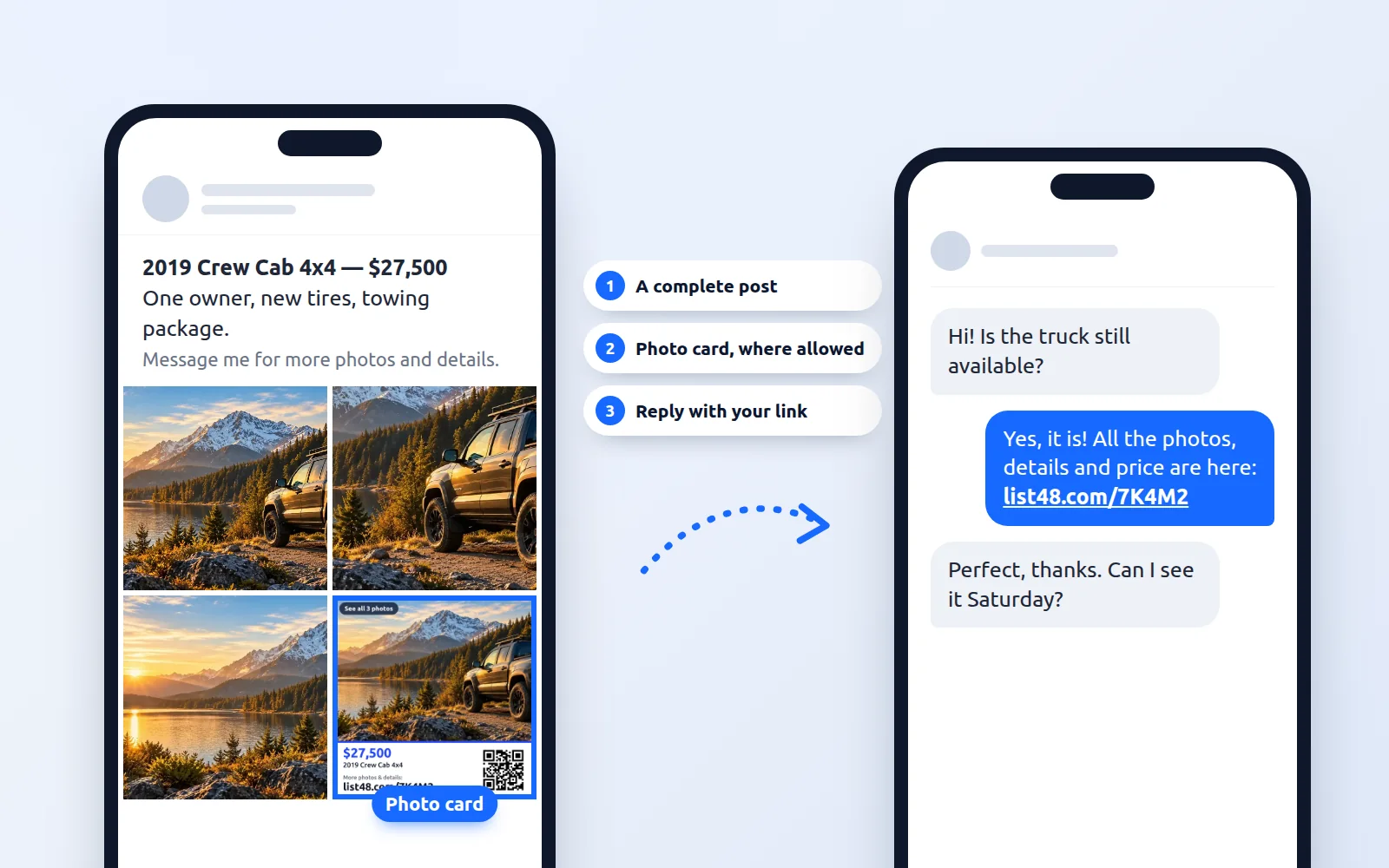
- Make your post complete on its own, with your best photos, the price and an honest description.
- Where the rules allow it, add a photo card or your listing code so interested people can find the full listing.
- When people message you with questions, reply with your listing link so they get every photo and detail at once.
On this page
- Why many sites limit links
- Start with the rules
- Make your post complete on its own
- Add a photo card, where it's allowed
- Mention your listing code, where it's allowed
- Reply with your listing when people ask
- Use your profile link
- Share directly where links are welcome
- A simple routine that works
- Good practices
You've made a listing page with every photo, the full description, the price and one-tap buttons to call or text. Now you want local buyers to see it, and many of them browse buy and sell sites and community groups every day.
Those places have their own posting rules, and many of them limit links to other websites. That's reasonable: they're protecting their members. The good news is that you can follow the rules and still make it easy for interested people to see your full listing. This guide shows how.
Why many sites limit links
Buy and sell sites and community groups limit outside links for good reasons:
- Protecting members from scams. Fake listings often use links to send buyers to look-alike payment or sign-in pages.
- Keeping spam down. Posts that exist only to send people elsewhere clutter the site for everyone.
- Keeping the conversation in one place. Many sites want buyers and sellers to talk where the site can help if something goes wrong.
Respecting those rules is part of being a trusted seller, and it keeps your posts and your account in good standing.
Start with the rules
Before you post anywhere, take two minutes to read the posting rules for the site, and for the group if you're posting in one. Look for answers to three questions:
- Are links allowed in posts? Some sites allow them, many don't, and some allow them only in certain places, such as your profile.
- Are website addresses or contact details allowed in photos? Some rules cover photos too.
- Are there limits on how often you can post? Many groups ask you to post an item once, not repeatedly.
Make your post complete on its own
Your post should give buyers what they need to decide whether they're interested, without relying on anything else. Your listing page is where they can go for more.
| In your post | On your listing page |
|---|---|
| Your best 4 to 8 photos | Every photo, full size |
| Headline and price | Headline, price and all the key facts |
| A short, honest description | The full description, features and history |
| "Message me with any questions" | Call, text, email and directions buttons |
A complete, honest post also earns trust. Buyers are more likely to reach out when they can see you've been upfront about price and condition.
Add a photo card, where it's allowed
A photo card is a square image that sums up your listing: your main photo, the price and your short address. Think of it like a small flyer inside your post. On sites whose rules allow it, adding it as the last photo lets interested people find your full listing.
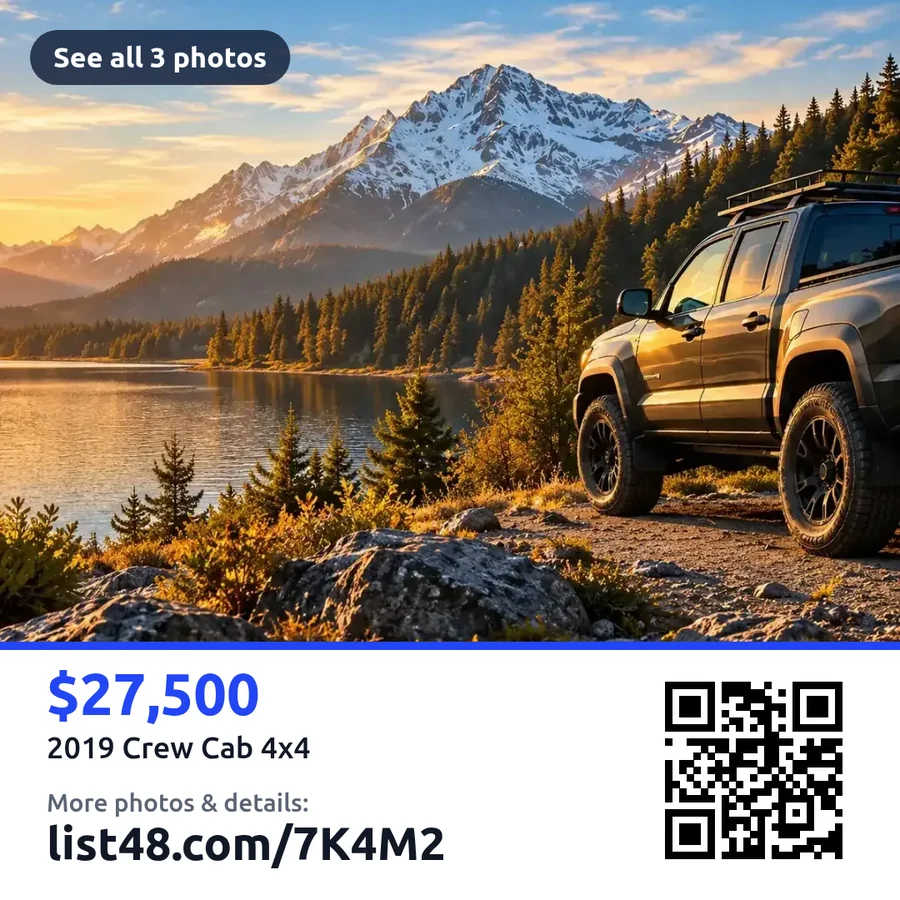
- Download it from your share page. After you publish, open the share section of your listing and download the photo card.
- Choose whether to include the QR code. Turn it off for any site whose rules don't allow QR codes in photos.
- Add it as the last photo. Your real photos come first, so buyers see the item itself right away.
If a site's rules don't allow website addresses in photos, skip the photo card there. Your photos and description will do the work, and you can share your listing when people get in touch.
Mention your listing code, where it's allowed
Every List48 listing has a short code, like 7K4M2. It's easy to read and type, and anyone can enter it in the code box on List48 to open your listing. On sites that allow it, a simple line at the end of your post is enough.
On your share page, the text for buy and sell sites lets you choose how the post ends:
- Nothing extra. The post ends with "Message me for more photos and details." This fits almost any site's rules.
- Your listing code. Adds a line like "List48 code: 7K4M2" for sites that allow it.
- Your short address. Adds "More photos & details: list48.com/7K4M2" for sites that allow website addresses.
The code box is forgiving. It accepts the code on its own, with a List48 prefix, or as a full address, and capitals don't matter.
Reply with your listing when people ask
Interested buyers usually start with a message: "Is this still available?" or "Can you send more photos?" Replying with your listing link gives them everything at once, which saves you both a lot of back-and-forth.
Your share page includes ready-to-paste replies for the most common questions:
| When someone asks… | You can reply… |
|---|---|
| "Is this still available?" | "Yes, it's still available! All the photos, details and ways to reach me are here: list48.com/7K4M2" |
| "Can you send more photos?" | "Sure! Every photo and the full details are on one page: list48.com/7K4M2" |
Only send your link to people who have contacted you, and check the site's messaging rules too.
Use your profile link
Many sites give you a profile, bio or "website" field where a link is welcome. If you sell often, or run a business, it's a good home for your link:
- Selling one item? Put that listing's short address in your profile while it's for sale.
- Running a business? A List48 store gives you one permanent address with all your listings, which makes an ideal profile link.
Share directly where links are welcome
Buy and sell sites are only one way to reach buyers. Plenty of places welcome your link, and some of the best buyers come from them:
- Texts and group chats with friends, family and coworkers
- Email, including neighborhood and workplace lists that allow for-sale posts
- Your own social posts, where links usually work
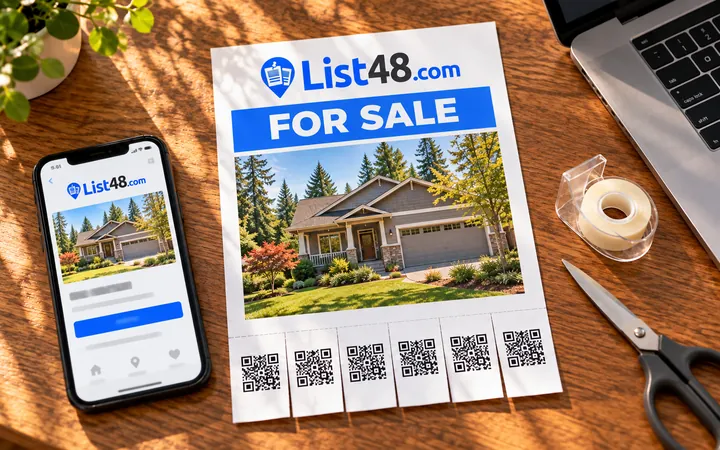
- Printed flyers with tear-off QR tabs on community bulletin boards, with permission
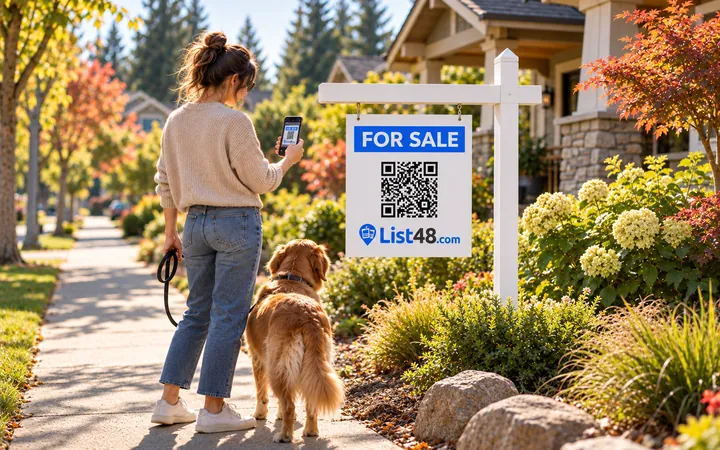
- Signs: a window sign on a vehicle, a yard sign, or a card on the item itself
Your listing also goes up free on the List48 Board, where people nearby can browse by category and area.
A simple routine that works
- Create your listing with every photo and detail.
- Read the rules for each site or group where you plan to post.
- Post a complete listing there using your best photos and the ready-made text from your share page. Add the photo card or listing code only where the rules allow.
- Answer messages quickly with your saved reply and link.
- Share your link directly in texts, email and your own social posts.
- Check your stats. Your listing shows views, code lookups, QR scans, calls and texts, so you can see what's working.
Good practices
- Follow each site's and group's rules, even when others don't.
- Don't work around a rule. If a site doesn't allow website addresses, don't spell them out or disguise them. Share your listing when people contact you instead.
- Post each item once in each place, rather than repeatedly or in dozens of groups at once.
- Keep your link to your own posts and conversations, not other people's posts or comments.
- Be accurate. Keep your post and your listing page consistent, and mark the item sold as soon as it's gone.
Honest, complete posts and quick, helpful replies are what sell things. Your listing page is there to make those replies easy.
Common questions
Why do some sites limit links in posts?
Mainly to protect their members. Links to other websites are a common tool in spam and scams, so many buy and sell sites and community groups limit or remove them, even when a link is harmless.
Can I include a photo card with my web address?
It depends on the site. Many sites treat a photo card like any other photo of your item, but some rules prohibit contact details or other websites anywhere in a post, including photos. If a site's rules don't allow it, leave the photo card out and share your listing when people contact you.
Can I mention my listing code in the post?
Where the rules allow it, yes. The listing code is short and easy to type. If a site asks you not to mention other websites at all, leave it out.
What is a listing code?
Every List48 listing has a five-character code, such as 7K4M2. Anyone can type it into the code box on List48 to open the listing. Codes never use the easily confused characters O, I, L, 0 or 1, and capitals don't matter.
Is it okay to send my link in messages?
Replying to someone who asked about your item is usually the most natural place to share your listing. Check the site's messaging rules too, and only send your link to people who contacted you.
Will my listing show up in search engines?
Public listings can be found by search engines, and each listing page includes its code. It can take days or weeks for a new page to appear in search results, so share your link directly too.
Create yours free
One listing, shared the right way everywhere.
Create a free listing and you get a short address, a listing code, a photo card, a QR code and ready-to-paste text for every place you share it.
- Free
- No account needed
- QR code & flyer included